


To check the current version of a SQL server we have 3 diffrent ways
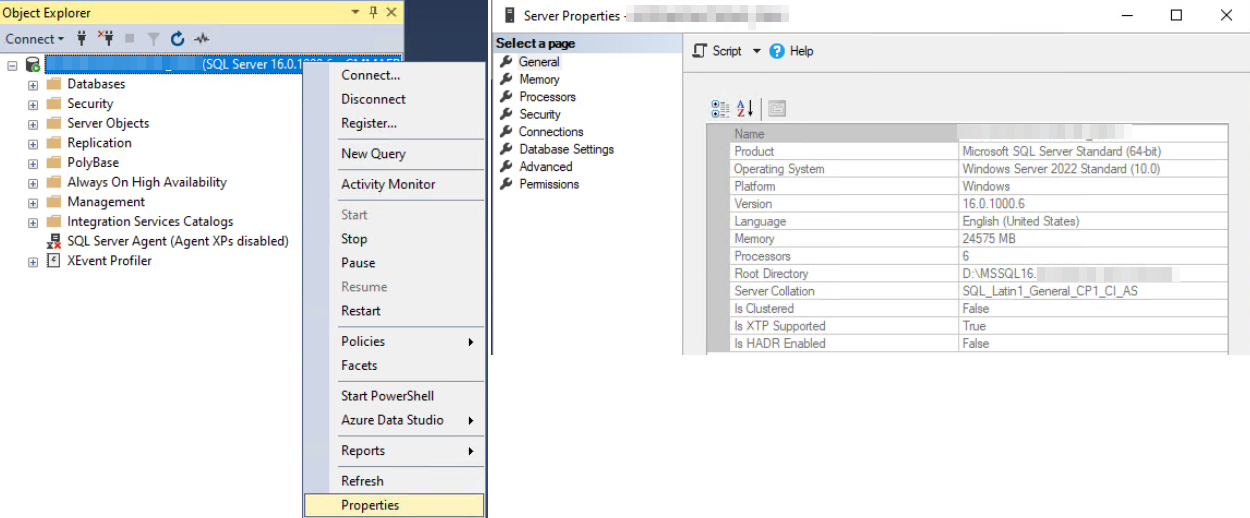
1º Open managemnt studio and go to proprieties of instance, in genreral you have the year and version of the instance
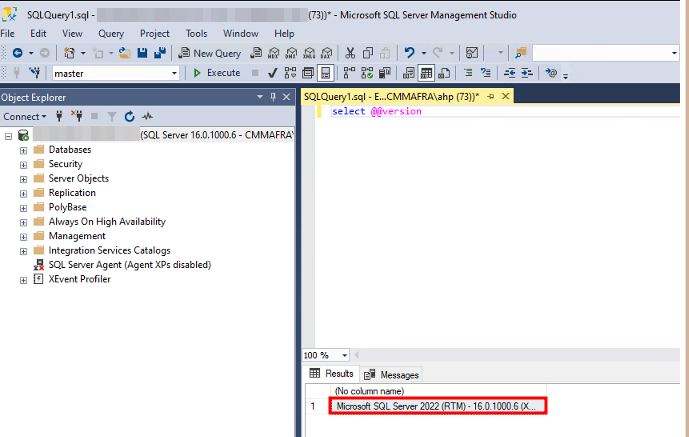
3ºmake a query on the database. As we can see the image it says its sql server 2022
SELECT @@VERSION
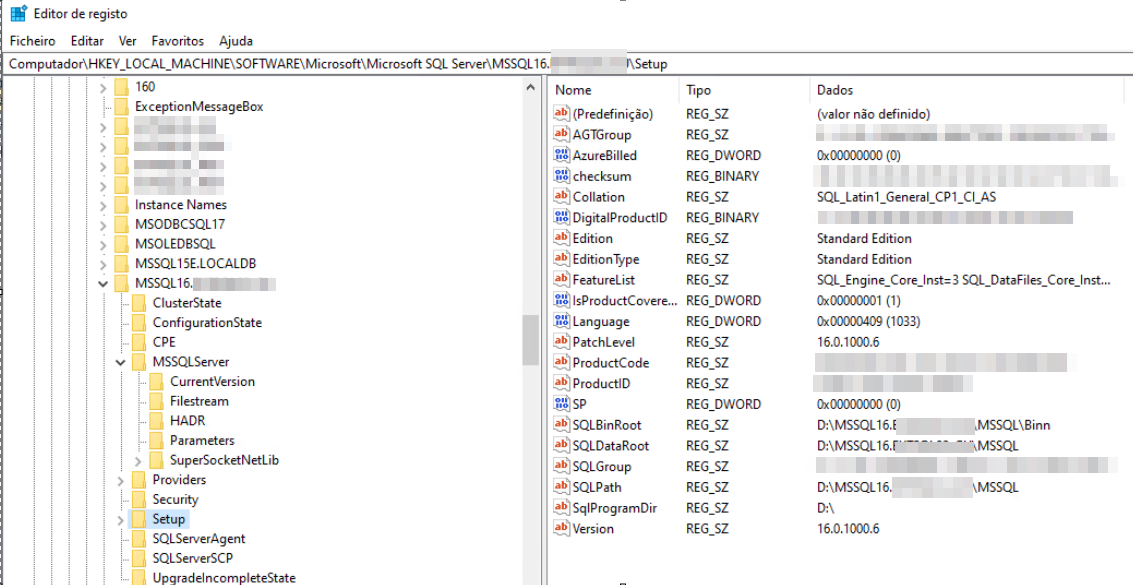
3º via registry key
HKEY_LOCAL_MACHINE\SOFTWARE\Microsoft\Microsoft SQL Server\Instance Name\Setup
References:
Link1: https://www.mssqltips.com/sqlservertip/1140/how-to-tell-what-sql-server-version-you-are-running/
Link2: https://stackoverflow.com/questions/20042072/how-to-find-the-version-and-edition-of-sql-server-instance-via-registry